
How to make a memorial video for your dog
A step-by-step guide to a short, honest video of your dog's life: which photos to use, how to turn habits into scenes, what music works, and how we built Biscuit's film.
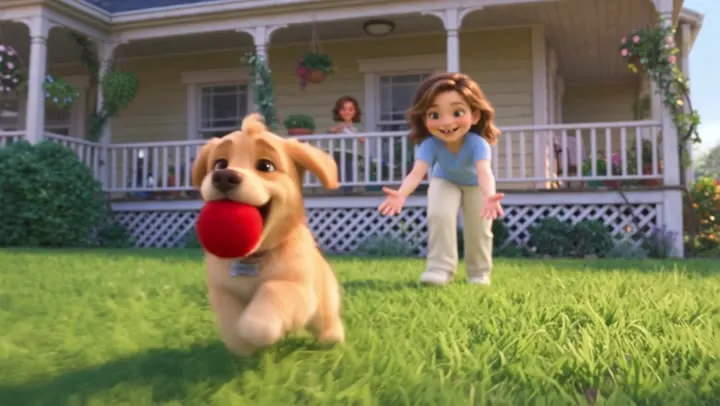
When a dog dies, the house goes quiet in a way that's hard to explain to anyone who hasn't lived it. Making a short video of their life is one of the most common things people do in the first weeks, partly to have something to share with family, and partly just to spend a little more time with them. Here's how to make one that feels like your dog, not like a generic slideshow.
1. Gather the right photos (fewer than you think)
A memorial video for a dog works best at 1 to 3 minutes. That's 15 to 35 photos and clips. Look for:
- One great close-up of their face, for the opening or the ending.
- The first photo you ever took of them, even if it's blurry.
- Photos of their rituals: on the couch, in the car, at the park, waiting by the door.
- Short phone videos. Five seconds of a wagging tail or a happy bark is worth ten still photos.
- Photos with the people they loved most.
Check old phones, cloud albums and family members' camera rolls. Ask: "Do you have any photos of Max?" in the family chat. People are usually glad to be asked.
2. Turn their habits into scenes
This is the step that makes a memorial video feel like your dog. Before you choose music or open any app, write down five things only your family would know about them:
- The toy they always brought back.
- The sound or spot that meant you were home.
- Their one bad habit (the trash can, the couch, the mailman).
- The walk you took every day.
- How they were in their last years: slower, gentler, still waiting at the door.
Then group your photos under those five headings. Now you have a story with chapters instead of a pile of pictures.
3. Put it in order: puppy to senior
Chronological order almost always works best for a dog's life:
- The day they came home.
- Puppy years: chewed shoes, first walks, learning their name.
- The best years: the habits and rituals you wrote down.
- Getting older: grey muzzle, slower walks, more naps in the sun.
- The ending: your favorite photo, their name and their years.
4. Choose one song
One song is usually enough for a 2-minute video. Choose something gentle that the family associates with them, or something hopeful rather than heavy. If you'll post it online, copyrighted songs may be muted on YouTube, Facebook or Instagram, so pick royalty-free music for the version you share. (For ideas, see 35 songs for a memorial video.)
5. Build it
- On your phone: Apple Photos and Google Photos can both make a "memory" video from an album in a few taps. It's the fastest option.
- For more control: CapCut or iMovie let you set the length of each photo, add short clips and type captions like "Max, 2011–2025".
Keep transitions simple, let the photos breathe (about 4 to 5 seconds each), and end on a still photo held for a few seconds longer than the rest.
From our studio: how Biscuit's film was built
We make animated memorial films for pets, and we start every one the same way you just did: with the family's stories, not with the photos. For Biscuit's film, the family's list looked like this: he arrived in a cardboard box on a birthday; he never let go of his red ball; he fought the vacuum cleaner and won every time; he waited by the front door every afternoon; he decided the new baby was his to guard.
Each item on that list became one scene, in order, from puppy to senior. The red ball came back at the very end, waiting for him above the clouds, and the film closed on a real photograph of Biscuit. Everything we learned from making it is in the steps above: a handful of specific habits, told in order, will always say more than a hundred photos.
When it feels like too much
It's normal to start a video like this and have to stop. Come back to it in a week. And if you'd rather someone else make it, we can: send a few photos and the list of habits, and we'll make an animated memorial video of your dog within 48 hours.
Frequently asked questions
How long should a dog memorial video be?
One to three minutes is usually right: long enough to tell their story from puppy to senior, short enough that family will watch it more than once.
What app can I use to make a memorial video for my dog?
Apple Photos and Google Photos can create a memory video from an album in a few taps. CapCut and iMovie give more control over timing, clips and captions.
What should I put at the end of a pet memorial video?
Most families end on their favorite photo of their pet, held a little longer than the others, with the pet's name and years.